
 All blogs
How we replaced a manual cash flow spreadsheet with an automated financial safety net
5 min read · Feb 11, 2026
Sue Fraser runs a successful coaching business (Potential To Be).
To track her business's financial position, Sue was manually maintaining a cash flow forecast in a spreadsheet.
In 2025, she launched a new "Group Coaching" offering which quickly grew to multiple cohorts.
While revenue increased, so did her administrative burden. Her cash flow spreadsheet exploded in size as she had to track payments for every member in every group, alongside her existing offerings.
Sue found herself "frustrated and pretty grumpy", spending hours manually cross-checking Xero invoices against her spreadsheet, worrying she'd missed something.
In this article, we'll outline the financial safety net we built to give Sue her peace of mind back.
The disconnect
The core problem was a disconnect between the systems used for forecasting (the spreadsheet) and invoicing (Xero). Because these two systems were disconnected, Sue was forced to manually keep them in sync, colouring cells to mark them as "invoice sent" or "invoice paid".
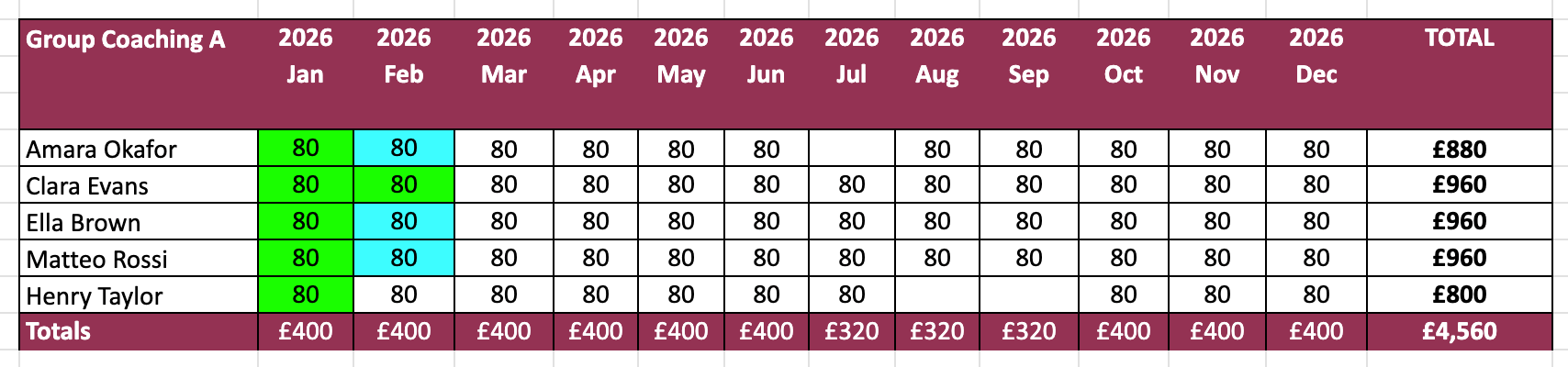
An example of Sue’s spreadsheet layout (populated with dummy data). She maintained a separate section for each of her offerings.
A by-product of this manual syncing was the risk of a mistake. Accidentally marking a payment as "paid", when it wasn't, resulted in lost revenue. Sending an invoice in Xero without a corresponding payment in the sheet resulted in an inaccurate cash flow view.
Build vs buy
As part of the discovery process, we evaluated moving Sue to an existing software platform made for coaches.
We decided against this for a few reasons, the main one being high migration friction. Sue was already billing her clients using Xero and GoCardless. None of the platforms we evaluated supported direct integration with her existing setup, meaning Sue would have had to ask every client to cancel their Direct Debit and resubscribe. We chose a custom build to avoid this disruption.
Additionally, by building a custom system, we could design the interface to look and feel like Sue's existing spreadsheet. This allowed her to upgrade without the steep learning curve of an entirely new interface.
Building the safety net
We built Sue a custom system using Airtable. It has four main functions.
Client, product, and revenue management
A single place to store client details and assign them to different products. Sue enters her expected revenue here, just like she did in the spreadsheet.
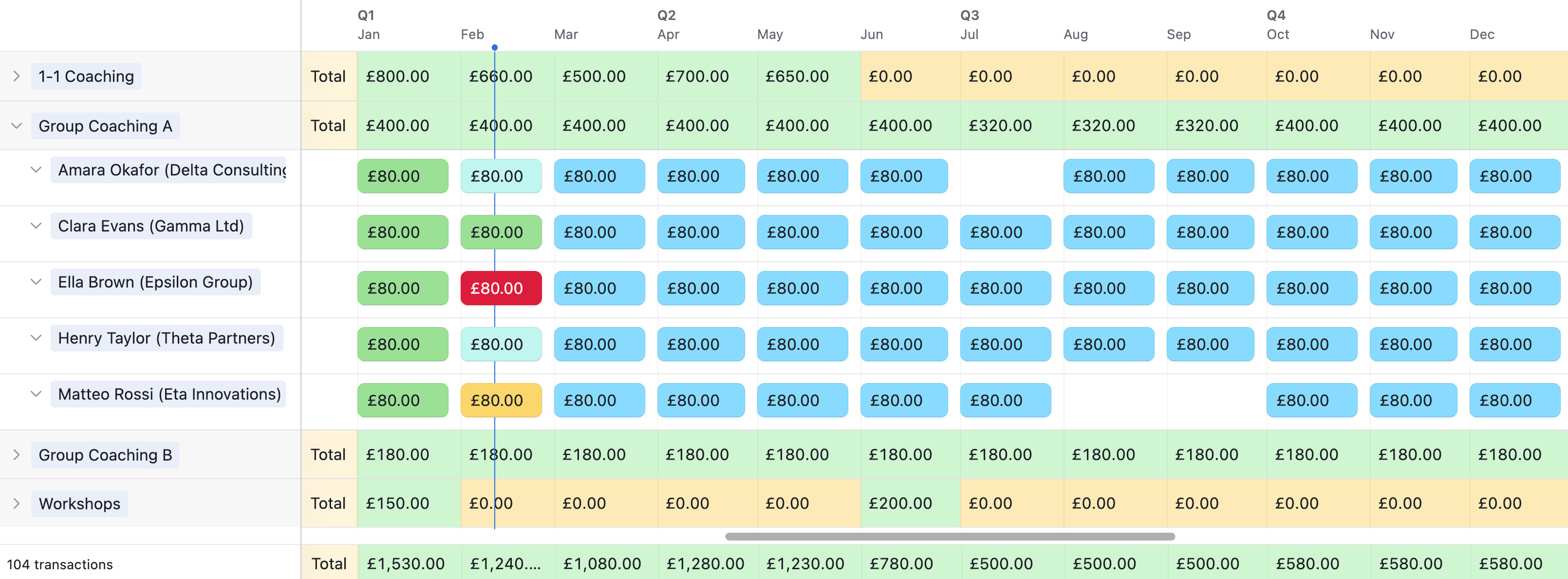
The new system (populated with dummy data). It uses a familiar spreadsheet-like interface.
Automated reconciliation
This is where the manual work ends. When an invoice is sent or paid in Xero, the system automatically matches it to an expected payment in Sue's forecast.
Live performance dashboards
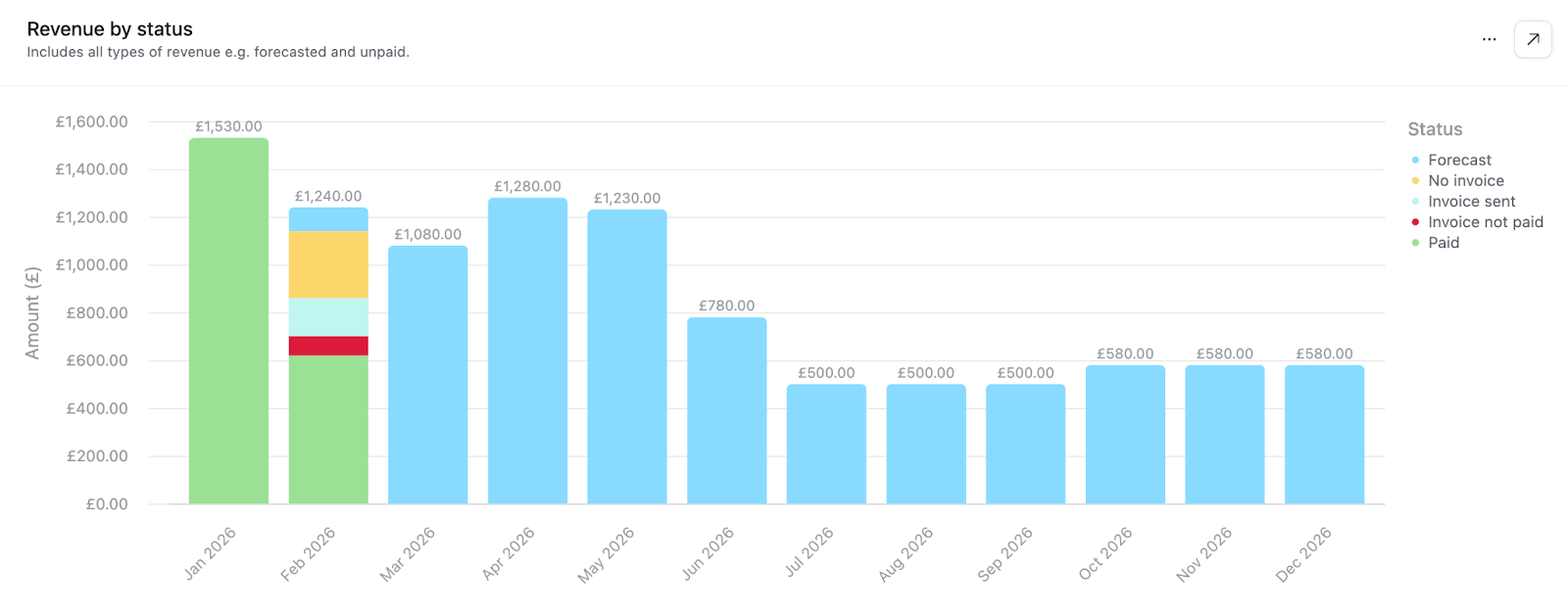
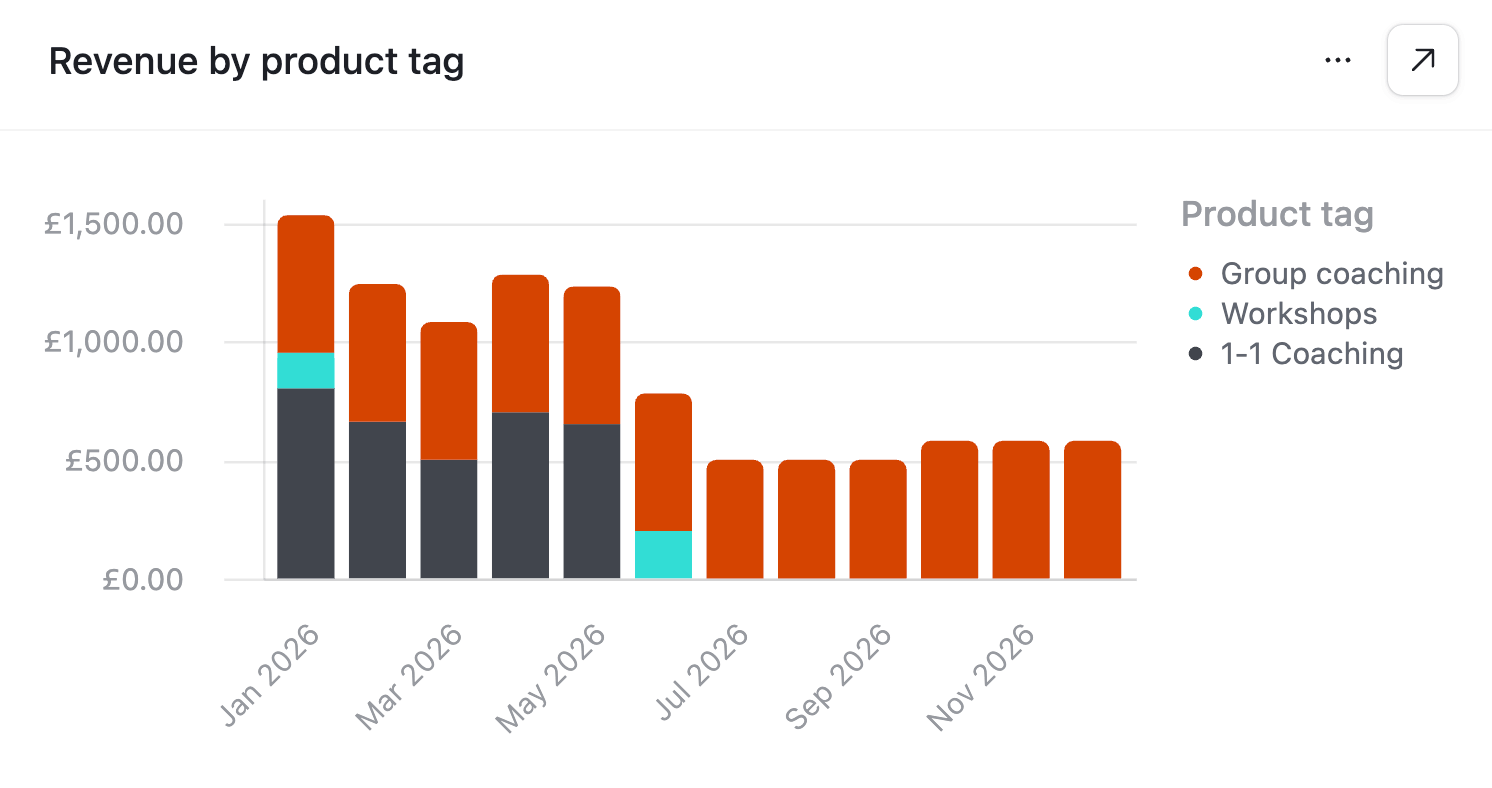
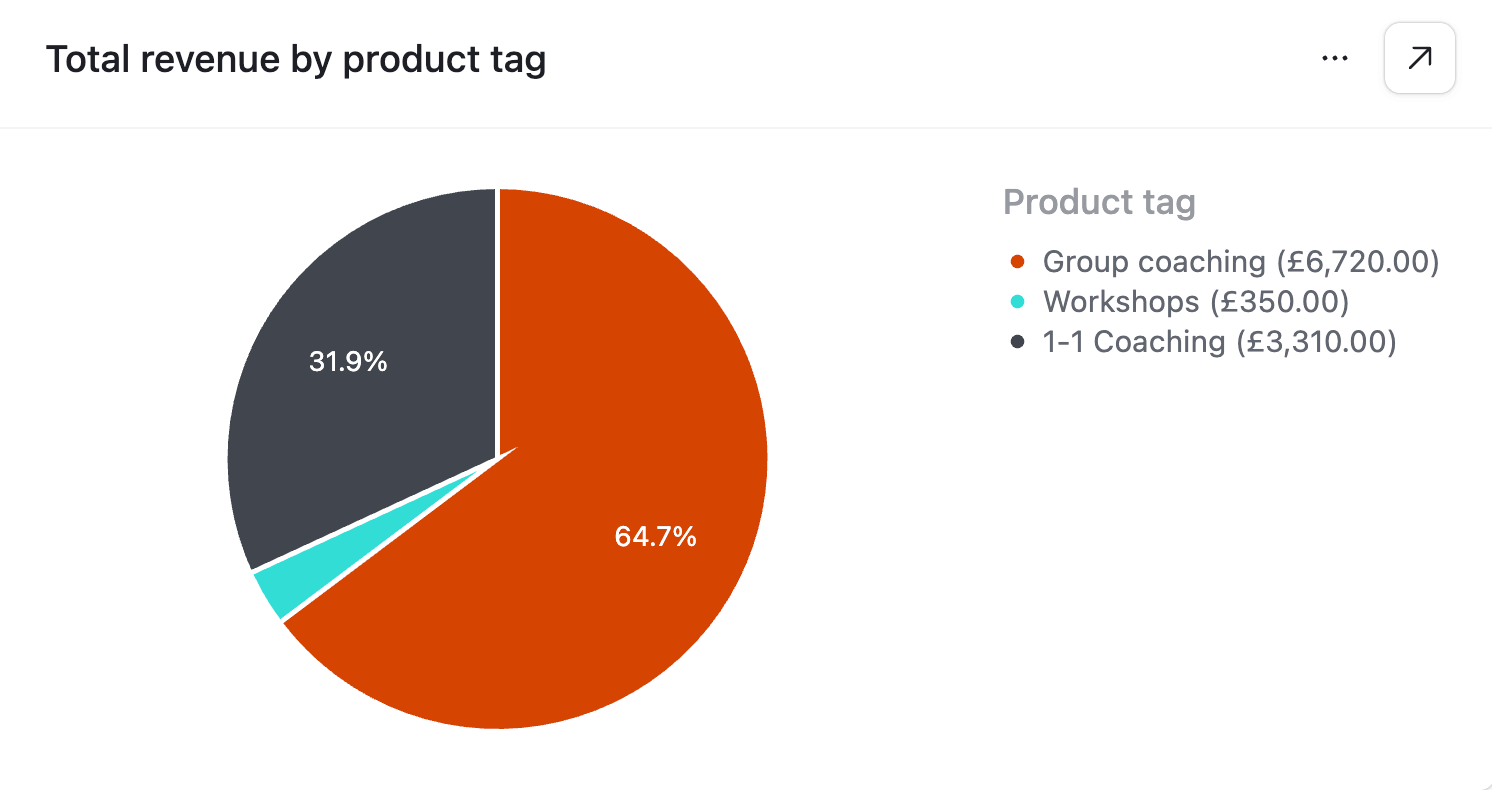
These summarise her forecast into graphs, showing what money is hitting the bank and when. They update automatically as invoices are sent or paid, and include a sales breakdown to show which offerings are driving the most revenue.
Smart alerts (the revenue safety net)
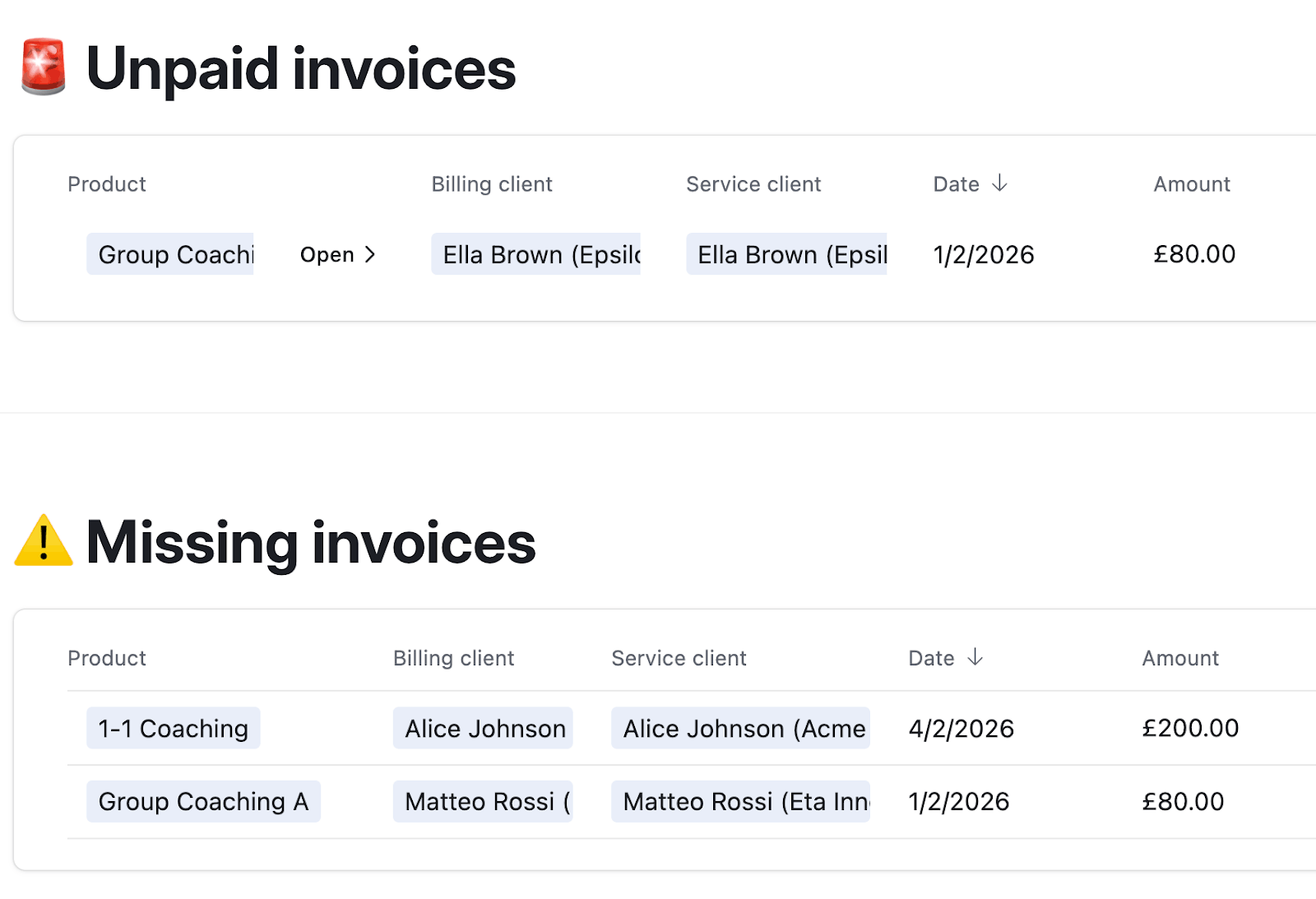
The system constantly checks "expected revenue" against "sent invoices" and proactively tells her if it detects problems:
- A client is being coached but hasn't been invoiced.
- An invoice was sent but is overdue.
- The amount invoiced doesn't match the expected amount.
The result
Watch Sue explain the transformation (2 minutes):
Proactive revenue protection
The system acts as a safety net, proactively flagging unbilled work and discrepancies. Sue now feels confident in her cash flow forecast, knowing everything has been billed correctly.
Reduced cognitive load
Sue went from feeling "frustrated and pretty grumpy" to "a lot less stressed". She's saving ~1 hour of admin a month, but more importantly, she no longer needs to manually cross-check Xero, eliminating the worry of whether the numbers align.
Scalable infrastructure
Sue now works off a structured database rather than a fragile spreadsheet. This laid the technical foundation for future automation opportunities, such as fully automated invoicing.
Want your own financial safety net? Send us a message.